
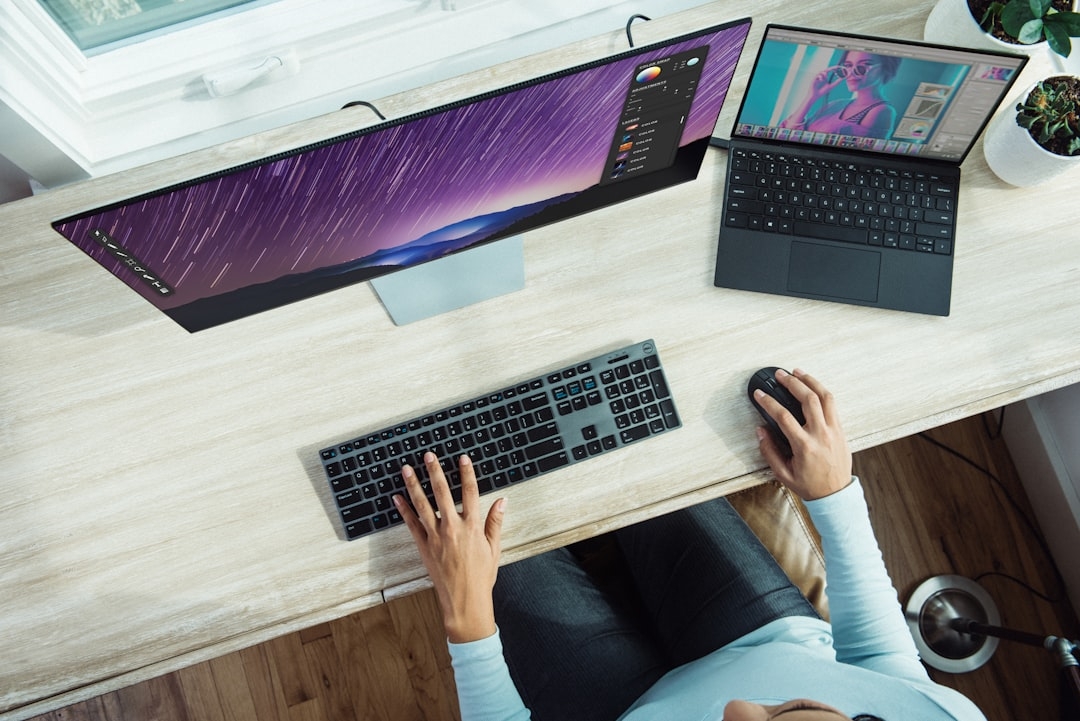
I remember eagerly testing a new laptop with AI features once, expecting it to revolutionize how I worked, only to find that most benefits were subtle—almost invisible to the average user. Dell's recent admission echoes this experience: consumers just aren’t that interested in AI-focused PCs yet.
The promise that AI would transform personal computers runs into a wall of user indifference. Dell, a major PC manufacturer, now openly acknowledges that AI-powered machines have yet to capture mainstream interest. But why? What’s behind this lukewarm reception?
What Does Dell Mean When It Says Consumers Don’t Care About AI PCs?
When Dell talks about AI PCs, they refer to devices with on-board artificial intelligence capabilities like faster voice recognition, smarter cameras, or enhanced photo editing through AI acceleration in the hardware. These features are meant to make tasks easier or more seamless.
However, Dell’s experience—and mine—is that typical PC users are largely unaware of these AI tricks. For everyday activities like browsing the web, streaming videos, or typing documents, AI enhancements feel like minor gimmicks rather than game-changing features.
Many users don’t even realize their PCs have AI features running under the hood. For them, what matters most is reliability, speed, and cost, not flashy AI functions.
How Do AI Features Actually Impact PC Use in Real Life?
From my testing and Dell's observations, AI in a PC often tries to optimize common tasks, such as:
- Automatically adjusting screen brightness and sound based on ambient conditions.
- Helping autofocus on video calls or optimizing image quality.
- Speeding up photo tagging or organizing files with smart search.
While technically impressive, these improvements rarely feel indispensable. Think about it like a car with a smart parking assistant: helpful when needed, but not a daily game-changer if you’re good at parking yourself.
These AI-powered shifts are mostly subtle and backgrounded; they don’t overhaul how we interact with our devices but add slight conveniences. And if those conveniences aren’t obvious or marketed well, many users simply don’t notice them.
Common Mistake: Overhyping AI Capabilities
A big error manufacturers and marketers often make is overselling AI features as if they’ll instantly boost productivity or creativity. This raises expectations that AI PCs will suddenly “think for you” or eliminate tedious tasks.
In reality, the benefits are incremental. Expecting an AI PC to replace a thoughtful human touch or creativity is unrealistic. This mismatch between hype and actual use leads to disappointment and disinterest.
Why Isn’t AI on PCs a Major Draw for Consumers Yet?
There are several reasons why AI PCs haven’t become a hot commodity:
- Lack of clear, tangible benefits: Consumers want features they can immediately use and understand. Soft AI boosts don’t stand out in daily use.
- Cost sensitivity: AI-powered hardware often adds price without obvious payoffs.
- Familiarity with software AI tools: Many users use AI-powered apps on existing machines, making AI at the hardware level less noticeable.
- Privacy concerns: Users wary of constant AI monitoring or data usage may avoid AI PCs.
When Should You Consider Buying an AI PC?
If you use specialized workflows that can leverage AI acceleration—like video editing with automated color correction, 3D design tools with AI assistance, or frequent use of voice assistants integrated more deeply with hardware—AI PCs could offer measurable advantages.
But for most people, a fast, reliable, and affordable PC without AI brags will serve just as well.
When Shouldn't You Prioritize AI PCs?
Don’t get swayed by AI labels if you mainly browse, stream, or do casual office work. The AI features won’t change your experience enough to justify any added cost. Instead, focus on traditional performance metrics like processor speed, RAM, and storage capacity.
How Can You Decide If AI Features Are Worth It For You?
Think of evaluating AI features like test driving a new car with fancy autopilot features. If these assistive technologies help you daily in noticeable ways, they’re worth pursuing. If not, they’re likely just bells and whistles.
Try to:
- Identify the specific AI features the PC offers.
- Consider whether these fit your everyday tasks.
- Look for reviews or demos highlighting real user experiences.
Common Mistake: Confusing AI Features with Overall PC Quality
Some buyers assume that because a PC markets AI, it must be superior overall. This isn’t true. AI features are one part of a machine’s ecosystem—overall build quality, keyboard comfort, battery life, and screen quality matter more for your everyday satisfaction.
Can AI PCs and Non-AI PCs Work Together for Better Results?
We shouldn’t think of AI PCs as replacing regular ones but as complementary. Users might still rely on traditional machines for daily use, but use AI-accelerated devices for specialized tasks.
Hybrid setups allow balancing cost-effectiveness with AI benefits, choosing the right machine for each job rather than expecting AI to be a universal solution.
What Are Common Misconceptions About AI in PCs?
- AI PCs automatically make you more productive: True productivity gains depend on how you use the machine and software.
- All AI features require constant internet access: Many AI functions are hardware-accelerated locally without sending data to the cloud.
- AI means loss of control: Users often think AI overrides their choices, but most offer opt-in settings and can be disabled.
Understanding these points helps users avoid disappointment and make smarter buying decisions.
How Does Dell’s Experience Reflect Broader Industry Trends?
Dell’s surprising admission shines a light on a reality many tech companies face: innovation doesn’t always equate to demand. Companies are learning to balance pushing new technology and meeting actual consumer needs.
In many ways, Dell’s honesty helps reset expectations and encourages more grounded discussions about AI’s role in consumer electronics.
Try This: Test Your AI PC Awareness
Here’s something you can do to see how much AI your PC really offers and whether you notice it:
- Check your PC’s settings or system info for AI-related features (like AI noise cancellation, adaptive brightness, or voice assistants).
- Try enabling one AI feature, such as automatic background blur in video calls.
- Use the feature for 10-15 minutes during a call or recording.
- Reflect on whether you found it valuable or if it felt like a minor add-on.
This quick test reveals if AI features capture your attention or are just background fluff, helping you understand the true impact of AI PCs.
Technical Terms
Glossary terms mentioned in this article









Comments
Be the first to comment
Be the first to comment
Your opinions are valuable to us