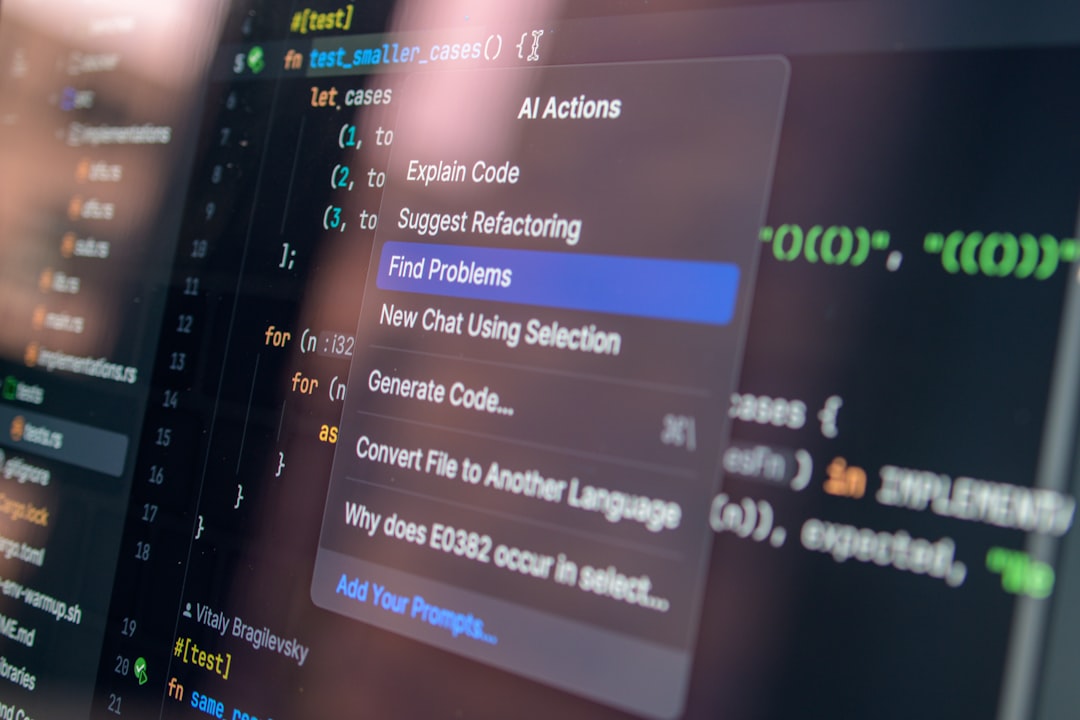
Lenovo sits closer to millions of users than most cloud providers. As the world's top PC maker by volume, the company can ship software directly to hardware endpoints, which changes the calculus for building assistants that act on your behalf. I write from hands-on experience deploying device-centric AI in production and watching plausible designs break when scaled.
Foundation Concepts
Start with three foundation concepts you must always evaluate: latency, privacy, and manageability. These drive whether an assistant should run on-device (edge) or primarily in the cloud.
I define two practical categories you will compare throughout this article:
- On-device assistant: inference and action execution happen locally on the PC. Useful when privacy or latency matters.
- Cloud assistant: heavy models and orchestration live in the cloud; devices act as thin clients. Useful for centralized control and rapid updates.
How does Lenovo's assistant work?
I cannot disclose internal implementation specifics at Lenovo. Instead, I describe plausible architectures you should expect and test if you are integrating or evaluating such an assistant on PC hardware.
A typical pattern combines a local controller (running on the endpoint) and a backend policy/orchestration service. The local controller captures user intent (via voice, keystrokes, or UI hooks), performs initial intent classification, and either executes actions locally or forwards a request to the cloud for richer processing.
Key components (conceptual)
- **Local controller**: a small runtime that enforces consent models and runs lightweight models for intent parsing and slot extraction.
- **Action executor**: platform-specific adapters that perform operations like scheduling, sending messages, or automating UI tasks, with strict permission boundaries.
- **Cloud orchestration**: optional layer for heavy LLM calls, knowledge retrieval, and centralized policy updates.
In my projects, the single biggest failure mode was blurred boundaries between the local controller and cloud services. When local safety checks were thin, small network glitches resulted in unintended actions.
Core Implementation
If you are implementing an assistant meant to act on users' behalf on Lenovo PCs, follow a layered approach:
- Local intent parsing and authorization: run a compact model on-device that decides whether an action can be executed locally.
- Action sandboxing: implement a permissioned action API that enforces user consent and rate limits.
- Cloud fallback and logs: send hashed telemetry to cloud services for audit, debugging, and heavy reasoning when required.
Below is a compact pseudocode example showing how a local controller might gate an action with an explicit user consent step, and call either a local handler or a cloud API depending on capability and privacy policy.
function handleUserRequest(request) {
intent = localIntentModel.predict(request.text)
if (!userHasConsent(intent.action)) {
promptUserForConsent(intent)
return
}
if (canExecuteLocally(intent)) {
return executeLocalAction(intent)
} else {
// redact sensitive fields before sending
payload = redactForCloud(request)
return callCloudOrchestrator(payload)
}
}
function executeLocalAction(intent) {
// sandboxed APIs: calendar.write, email.compose, ui.automation
if (!checkRateLimits(intent)) throw Error('Rate limit')
return actionSandbox.invoke(intent)
}That code is an illustration. Your concrete implementation requires robust error handling, audit trails, and user-configurable privacy toggles.
When should you use a device-level assistant vs cloud assistant?
Answer: it depends. I have deployed both patterns and learned pragmatic rules-of-thumb.
- Choose on-device when **privacy** and **latency** are primary. On-device reduces data movement and gives users stronger privacy assurances.
- Choose cloud when you must orchestrate cross-user knowledge or leverage large knowledge bases and frequent model updates.
- Hybrid: use local controllers for gating and fast decisions, cloud for heavy reasoning and telemetry. This is often the most practical compromise.
Be wary of the assumption that cloud is always cheaper to operate. Device diversity, intermittent connectivity, and update rollouts create significant operational costs that are easy to underestimate.
Advanced Patterns
Here are advanced patterns I've used to reduce risk and improve reliability.
- **Progressive rollout**: ship local models with feature flags and telemetry caps so you can roll back quickly.
- **Dual-execution audit**: run cheap local decision and cloud decision in parallel but only use local result; compare outputs offline to detect drift.
- **Action simulation mode**: allow users to preview an assistant's planned actions without execution so they can tune preferences safely.
I once shipped a feature without simulation mode. Users saw actions fire unexpectedly and trust dropped. Instrumentation alone does not fix lost trust.
Production Considerations
Production is where trade-offs matter more than ideal architectures. Below are concrete considerations and why they matter in real deployments.
- Observability and audit: log intent decisions, consent timestamps, and action outcomes. Privacy-preserving hashes help debugging without exposing raw content.
- Update mechanics: device fleets are heterogeneous. Ensure model updates and policy changes are staged and reversible.
- Security: the action API is a high-value target. Use signed actions, capability-based permissions, and hardware-backed keys where available.
From my experience, teams that treat the assistant as a surface for automation (not just a chat window) face the hardest operational constraints because actions change external state.
Trade-offs at a glance
- **On-device**: better privacy and latency, harder to update models and unify behavior across devices.
- **Cloud**: easier updates and richer context, higher operational and privacy costs.
Next Steps
If you are evaluating Lenovo's assistant or building a similar product, run structured experiments and prioritize trust. Below is a 15-25 minute checklist you can complete now to help choose your approach.
- Timebox 5 minutes: List the top three actions the assistant must perform and mark which require access to private local data.
- Timebox 5 minutes: For each action, decide if latency under poor connectivity makes the action unusable.
- Timebox 5 minutes: Define the minimum audit logs you need to investigate an unintended action.
- Timebox 5-10 minutes: Choose a pilot: on-device only, cloud-only, or hybrid, and define one safety rollback condition.
Answering these quickly will surface the trade-offs that matter for your users.
One final pragmatic warning: users punish surprise more than slowness. If an assistant 'acts on your behalf', make the action visible, reversible, and auditable.
Trust is a product feature. If you break it early, technical fixes won't fully recover it.
If you want a simple decision matrix to fill out in 15 minutes, use the checklist above. It will align stakeholders and surface the hardest constraints: privacy, latency, and operational cost.


Comments
Be the first to comment
Your opinions are valuable to us